Plot Speaks Sign in

← Games

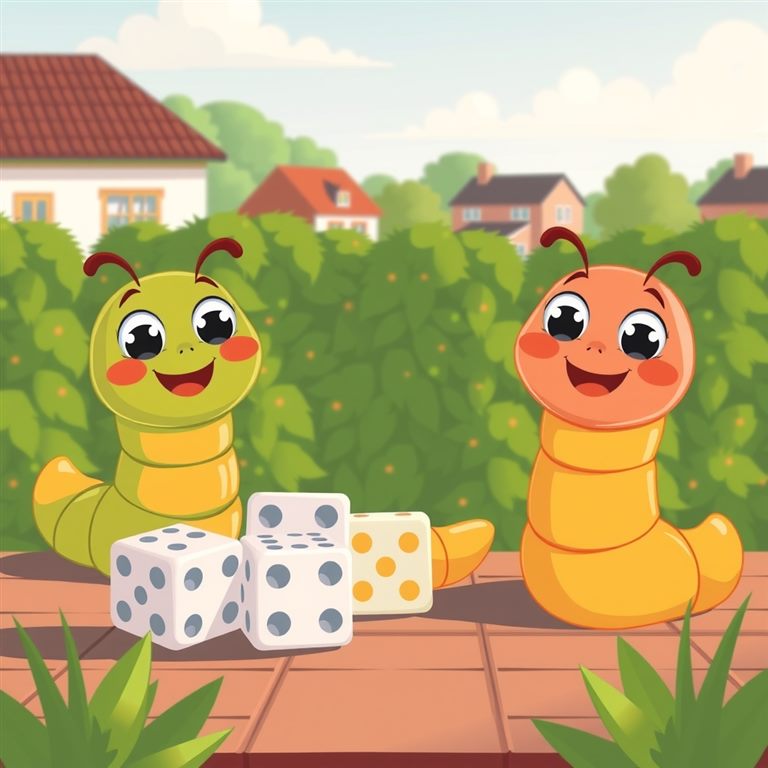
Cover art for Worms!

Game20 min1–6 playersG

Worms!

New, and being tested. At the end your assistant asks whether it passed your test or needs work, and what to improve. Be one of the first to try it.

A friendly dice game for the whole car: eight dice, sixteen tiles and a lot of wiggly worms. Keep a face, roll again or stop, then take a tile or steal one. Play with friends or against Wormbot, the computer player.

Connect

Play it with your assistant.

Connect Plot Speaks once. It rolls every die, applies every rule and keeps the score, so nobody needs dice or a pencil.

Then say“Start Worms! with Plot Speaks.”

Plays through the connector only: the dice are rolled on the Plot Speaks server.

How to play

How to play Worms!

The goal: end the game with the most worms. Worms are printed on sixteen tiles, numbered 21 to 36, that start in the middle of the table. The higher the number, the more worms it carries.

TilesWorms on each
21 to 241 worm
25 to 282 worms
29 to 323 worms
33 to 364 worms

Your turn

  1. Roll. Plot Speaks rolls eight dice for you. Each shows 1 to 5, or a worm, and a worm counts as 5 points.
  2. Keep one face. Say which face you keep, such as “the fours”: you keep every die showing it. You can never keep the same face twice in one turn.
  3. Roll again, or stop. Roll the dice you have left to add to your total, or stop. To stop you need at least one worm among the dice you kept.
  4. Take or steal. When you stop, take the highest tile in the middle that is at or below your total. Or, if your total exactly matches the top tile of another player's stack, steal it: that is Thievery!, or Addition by subtraction! New tiles go on top of your stack, and only the top one can be stolen.

Busting

You bust if a roll shows no face you can keep, if you stop or run out of dice without a worm, or if your total can't take or steal a tile. Your top tile goes back to the middle, and the highest tile in the middle is turned face down, out of the game. Give back a tile and it's a busto gusto; with no tile to give, it's a busto nusto.

Callouts

  • Fool's gold! Four or more 4s on your first roll.
  • Woah! Something lucky: four worms in one roll, five dice the same, a four-worm tile, a total of 36 or more.
  • Dang! Something unlucky: a first roll with nothing to keep, losing a big tile, or busting after keeping six dice.
  • Roll off! At the start everyone rolls one die and the highest goes first (a worm beats a 5). A tie at the top rolls again.

Players, Wormbot and records

One to six players. Want a computer opponent? Add Wormbot: it plays its own turns and the host reads them out. The game ends when no face-up tiles are left in the middle; most worms wins, and a tie goes to whoever holds the highest tile. At the end you hear each player's record and the most worms anyone has ever scored. Signed in, your record is kept with your account.

New to it? The host offers to explain the rules before you start, or say “Worms rules” at any time. Watching along on a screen shows the dice, the tiles and every player's stack.

Phrases

SayWhat happens
"Start Worms! with Plot Speaks."The host offers the rules, then asks who's playing and whether Wormbot joins.
"Worms rules."The rules, a short piece at a time, whenever you want them.
"The fours." "Keep the worms."Keeps every die showing that face.
"Roll again." / "Stop."Rolls the dice you have left, or stops and takes a tile.
"Take it." / "Steal it."When both are possible: a tile from the middle, or another player's top tile.
"Play again."A new game with the same players.

Every die is rolled by Plot Speaks, never by your assistant, so nobody can nudge a roll, and the host reads out exactly what came up.

Set everything up while parked. The driver never touches the phone once you're moving.

Connect to Claude Recommended · works by voice

One tap. Check the name says Plot Speaks, tap Add, then sign in with Google and tap Allow. Signing in keeps your saved progress in stories and games.

Connect to Claude

or copy the sign-in address

https://account.plotspeaks.com/mcp

  • Rather not sign in? Connect without an account. Everything plays, but nothing is saved between chats.
  • On a phone, open the link in your browser. Once it's added, Plot Speaks appears in the Claude app and works in voice mode.
  • In a new chat, tap + → Connectors and make sure Plot Speaks is on.
  • Asked to allow Plot Speaks? Choose Always allow each time it asks (a game uses a handful of tools), or set them all at once under Settings → Connectors → Plot Speaks. Then it stops asking.
  • Free plan: one custom connector is included, and Plot Speaks can be it. On Team or Enterprise, your admin adds it first.

Then say“Start Worms! with Plot Speaks.”Or “Open Plot Speaks.” for a quick intro and the other stories.

This page and every story page will then show an Open in Claude button too. Remembered on this device only; you can add more than one.

Full details on the Connect page

Use with ChatGPT Free and Plus: paste

Today, custom connectors in ChatGPT need a Business, Enterprise or Edu plan. On Free and Plus, paste the story instead: it plays start to finish by voice.

On Free or Plus

  1. Copy this story:
  2. Start a new chat and paste it as the first message. Don't attach it as a file.
  3. Tap the voice button and say “Plot Speaks, start the story.”
  4. Give the passenger page to a passenger. It holds the answer key, so they read out the verdict when the narrator asks.

On Business, Enterprise or Edu

On the web: Plugins → + → Add custom MCP server, paste the address and choose OAuth, then sign in with Google when it asks.

Sign in first? With a Google account, Plot Speaks keeps your progress: what you've played, the trivia you've already heard and your campaigns. You'll be asked to sign in when your assistant connects.

Sign in with Google

The address to add:

https://account.plotspeaks.com/mcp

  • A ChatGPT app listing is planned, so Free and Plus can connect too. No date yet.
  • The family mysteries aren't offered in ChatGPT (its rules on content for under-13s). Play them in Claude, or by paste.

Then say“Open Plot Speaks.”With the connector. Pasted a story? Say “Plot Speaks, start the story.”

This page and every story page will then show an Open in ChatGPT button too. Remembered on this device only; you can add more than one.

Full details on the Connect page

Works with Gemini Typed chat · US, 18+

For people in the US, 18 or older, on a personal Google account with Keep Activity on. Not on work or school accounts.

Copy the address and open Gemini

Then tap + Custom and paste it. Or copy it here:

Sign in first? With a Google account, Plot Speaks keeps your progress: what you've played, the trivia you've already heard and your campaigns. You'll be asked to sign in when your assistant connects.

Sign in with Google

The address to add:

https://account.plotspeaks.com/mcp

  1. Add it on the web: in your phone's browser, open gemini.google.com/customize/connectors (or Menu → Settings → Connected Apps; it may sit under Personal Intelligence).
  2. Tap + Custom (or Add a custom app), paste the address, tap Next and sign in with Google when it asks.
  3. It then works in the Gemini app too. In a chat, type @ and tap Plot Speaks in the list (saying it doesn't pick it), then open. Not in the list? Close the Gemini app completely and reopen it.
  • Signing in works in Gemini (checked 2026-10-20), so your progress is saved there too.
  • Gemini asks you to confirm each answer. That's Gemini's rule for any app that saves something (your score, your place in a story), and it can't be turned off yet. Claude can be set to Always allow.
  • Gemini Live, the voice-conversation mode, can't use custom apps yet (Google lists only its own apps and a few partners there), so Plot Speaks plays in a regular Gemini chat: tap the microphone in the chat box to speak each turn.

Then type@ → Plot Speaks → “start Worms!”Type @ and tap Plot Speaks in the list (saying it doesn't pick it), then the rest. Not in the list? Close the Gemini app completely and reopen it. Or “open” for the intro.

This page and every story page will then show an Open in Gemini button too. Remembered on this device only; you can add more than one.

Full details on the Connect page

Other assistants Vibe, Perplexity, Grok

These can add Plot Speaks by its address too. We've tested voice play on Claude and ChatGPT only.

Sign in first? With a Google account, Plot Speaks keeps your progress: what you've played, the trivia you've already heard and your campaigns. You'll be asked to sign in when your assistant connects.

Sign in with Google

The address to add:

https://account.plotspeaks.com/mcp

  • Vibe (formerly Le Chat) Free plan works

    Free plan works. We haven't tested voice play yet.

  • Perplexity Paid plans · untested

    Paid plans can add it by its address. We haven't played a story through it yet.

  • Grok Untested

    It can add a custom connector by address, but which plans and devices support it isn't documented. Untested.

  • Claude Code For writers · text

    Write and check your own story or game from the terminal: Claude Code can use every Plot Speaks tool, including write_story, review_story and submit_story. Play there is by text, not voice.

  • Meta AI No connectors yet

    Meta AI can't add connectors yet. Pasting a story may work, but we haven't tested it.

  • Anything else: paste the story. Open a story page and tap Copy the story.

Then say“Start Worms! with Plot Speaks.”Or “Open Plot Speaks.” for a quick intro and the other stories.

This page and every story page will then show an Open in Other assistants button too. Remembered on this device only; you can add more than one.

Full details on the Connect page

Did it connect?

Finish the steps in the tab that just opened, then come back: did Plot Speaks connect to Claude?